Beyond Barcodes: How I Combined Computer Vision and Agentic AI for Re-Commerce
On this page
Beyond Barcodes: How I Built an AI Scanner for Video Games
A technical deep dive into a product that combines computer vision and agentic AI to modernize the re-commerce purchase flow.
PassPad is a platform where gamers can sell their old video games, consoles, and accessories easily and securely. Our goal is to make the often tedious re-commerce process as seamless as possible, with fair prices and modern technology.
But when we launched in September 2024, reality looked different.
The Problem: The 30-Second Hurdle
In our first version, visitors had to enter each game individually using a search field. You could filter by console, but the process was slow: type title, search the list, select condition, add to the sell cart.
Our metrics showed: it took an average of 30 seconds per game. Anyone selling a collection of 20 games was busy for 10 minutes, which is an eternity in e-commerce.
The industry standard solution was then (and often still is) the barcode scanner. The user points the camera at the EAN code, the app beeps, the product appears.
We stood at a fork in the road:
- The safe path: Build an EAN scanner like every competitor.
- The risky path: Skip barcodes entirely.
Why? Because barcodes on used games are often missing, covered, or damaged. And above all: you still have to pick up each game one by one.
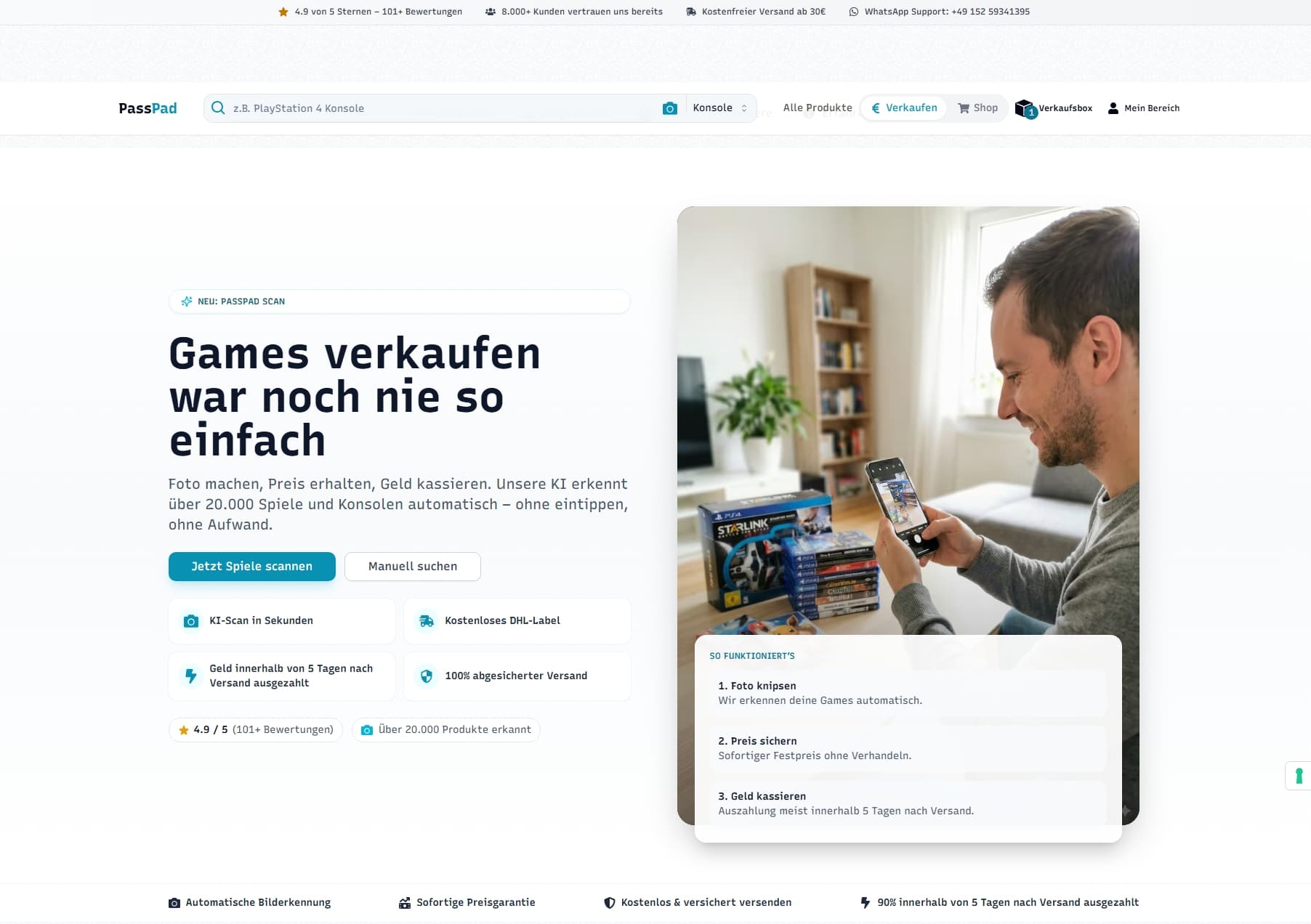
The vision: What if a user simply takes a photo of the entire stack on the table, and our software does the rest? No barcodes, no individual scanning.
📸 1 photo of the whole stack → 🤖 AI analyzes → 💰 See prices
Time spent: under 5 seconds per game (instead of 30s)
The AI scanner in action
The Solution: A Three-Layer System
To bring that vision to life, we needed more than simple image recognition. We needed a system that understands what it sees and matches it against our database.
Architecture Overview
Frontend: UX for Asynchronous Processes
The Problem: Waiting Has to Feel Good
An AI scan of an image with 10 games takes longer than a database lookup. We are talking about 10 to 30 seconds of processing time. If the user only sees a spinner, they drop off.
The Solution: State Machine & Optimistic UI
We built the frontend as a strict state machine that tells the user exactly what is happening.
// useScannerFlow.ts - Simplified representation
export type UIState = "upload" | "processing" | "results" | "error";

export function useScannerFlow(): UseScannerFlowReturn {
    const [uiState, setUiState] = useState<UIState>("upload");
    const [analysisId, setAnalysisId] = useState<string | null>(null);

    // Mutation for starting analysis
    const analysisMutation = useMutation({
        mutationFn: async (images) => {
            const result = await startImageAnalysisWithUrls(images);
            return { analysisId: result.analysisId };
        },
        onSuccess: (data) => {
            setAnalysisId(data.analysisId);
            setUiState("processing"); // Switch to processing state
        },
        onError: () => setUiState("error")
    });

    // Polling pattern: request status every 3 seconds
    const statusQuery = useQuery({
        queryKey: ["analysisStatus", analysisId],
        queryFn: () => fetchAnalysisStatus(analysisId!),
        enabled: Boolean(analysisId) && uiState === "processing",
        refetchInterval: (query) =>
            query.state.data?.status === "processing" ? 3000 : false
    });

    // ... logic for state transitions on success
}
To make the wait feel shorter, we show context-aware messages so the user can see the AI is actually working:
function getProcessingMessage(elapsedMs: number): string {
    if (elapsedMs < 8000) return "AI is identifying games...";
    if (elapsedMs < 16000) return "Condition & accessories are being checked..."; // V2 magic happens here
    if (elapsedMs < 28000) return "Prices are being calculated...";
    return "Almost done – loading results...";
}
Backend: Agentic AI Instead of Just "Looking"
This is where the real technological leap happens. A normal vision model (LLM) tends to hallucinate. If I ask Gemini, "Which games are in the image?", it happily invents titles or returns names that differ slightly from our database (e.g., "Mario Kart 8" instead of "Mario Kart 8 Deluxe").
The AI as an Agent with Tools (Function Calling)
We do not let the AI guess. We give it a tool. We essentially say: "You're a librarian. Here's access to our catalog (database). If you see a game in the photo, look it up in the catalog."
// aiService.ts - Tool definition for Gemini
private searchForProductFunctionDeclaration: FunctionDeclaration = {
    name: 'search_for_product',
    description: 'Searches in the PassPad database for a product.',
    parameters: {
        type: Type.OBJECT,
        properties: {
            queries: {
                type: Type.ARRAY,
                items: { type: Type.STRING },
                description: 'Search terms derived from the image visual.'
            },
            systemName: {
                type: Type.STRING,
                enum: ['PlayStation 5', 'Nintendo Switch', ...], // Restricted search space
                description: 'The platform context.'
            }
        },
        required: ['queries', 'systemName']
    }
};
The agentic loop then looks like this:
- AI sees the image (pixel-level).
- AI recognizes text fragments (e.g., "Zelda", "Breath") or recognizes the cover.
- AI decides: "I need to query the database." -> Calls
search_for_product. - Our backend runs a fuzzy search (PostgreSQL
pg_trgm). - The backend returns real product IDs and titles.
- The AI maps the result back to the image.
Evolution: From V1 to V2
In the first version (V1), our scanner could only recognize which game was on the table. That was a big step, but the user still had to click manually: "Is the case included?" or "Is the manual missing?".
For V2, we raised the bar for the agentic AI. We fed the model's context window with knowledge about our product logic.
The Problem with Conditions and Accessories
A "Nintendo Switch" game is usually a case with a cartridge. A "PlayStation 2" console is a complex bundle of console, power cable, TV cable, and controller.
In V2 we now provide schema information. When the AI recognizes a console, it checks the image specifically for accessories:
- "I see a PS2. Do I also see a controller?"
- "I see a Game Boy game. Is it loose or inside a cardboard box (CIB)?"
Through targeted prompt engineering and extending the output schemas, we now auto-fill form fields that the user previously had to click manually.
Validation: Trust Is Good, Database Is Better
Despite agentic AI, you can never blindly trust a model in a business context. The final step before showing results to the customer is always a hard validation.
// The "safety check"
if (analysisResult.identifiedProducts.length > 0) {
    // 1. Extract all IDs the AI claims to have found
    const uniqueIds = [...new Set(analysisResult.identifiedProducts.map(p => p.productId))];

    // 2. Check against the real DB
    const existing = await this.prisma.product.findMany({
        where: { id: { in: uniqueIds } },
        select: { id: true }
    });

    const existingSet = new Set(existing.map(e => e.id));

    // 3. Filter out everything the AI hallucinated (IDs that do not exist)
    analysisResult.identifiedProducts = analysisResult.identifiedProducts
        .filter(p => existingSet.has(p.productId));
}
Tech Stack Summary
For the tech-inclined, here is the overview of our current architecture:
| Component | Technology | Why |
|---|---|---|
| Frontend | Next.js 14 | Server Components & Performance |
| State | React Query | Perfect for polling & server-state sync |
| Backend | Elysia (Bun) | Extremely fast, TypeScript-native |
| AI | Google Gemini | Strong vision capabilities + Function Calling |
| Database | PostgreSQL | pg_trgm extension for fuzzy search |
Conclusion
The decision to skip the classic EAN scanner was risky, but it paid off. We built a tool that is not only technologically exciting, but also solves a real user problem: time.
Instead of searching, rotating, and scanning barcodes, our customers now simply throw their games into a pile, take a photo, and let the AI do the work.
The combination of Computer Vision, Agentic Workflow, and classic database validation is our key to turning PassPad from a standard shop into a tech-first re-commerce company.
Curious to try it?
Try the scanner →